The blurred office background headshot
A softly defocused office with warm window light behind you — the backdrop that says 'caught at work, on a good day' instead of 'summoned to a studio.'
Use clear, well-lit photos of your face from the front. PNG/JPG, up to 10 MB each. More angles = better results.


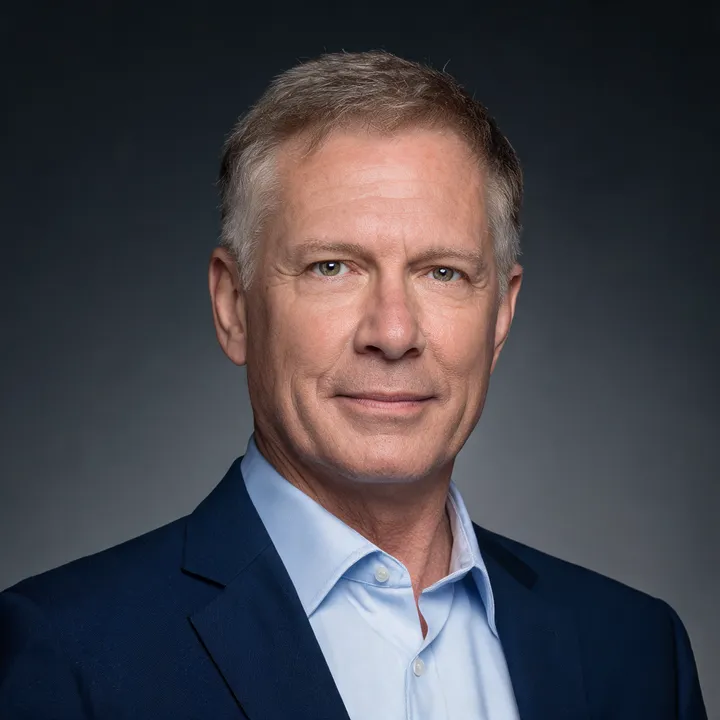
Example results generated with PitchPhoto. Your photos are never used to train models.
Environmental backgrounds tell a small story: this person has a place where they work, and they look comfortable in it. That candid-professional register is why blurred-office headshots dominate in people-facing roles — sales, customer success, product management, recruiting, and founders whose photo doubles as the face of the company.
The blur is doing real work. A sharp office background is chaos — monitors, chairs, other people's coffee mugs. Defocused to a soft wash of warm tones, the same scene becomes depth and warmth without a single legible distraction. PitchPhoto renders the office as bokeh, never as furniture.
This backdrop pairs naturally with business casual and smart casual attire. With full business formal it can feel mismatched — if you're in a suit, a controlled studio backdrop usually serves the formality better.
Getting the blurred office right
- ✓Best with business casual or smart casual — matches the candid register
- ✓Warm window light from one side adds dimension; the preset handles this
- ✓Strongest for roles where approachability sells: sales, PM, recruiting, founders
- ✓Keep your clothing solid-colored so you separate cleanly from the soft background
- ✓Compare warm and neutral variants in your batch — warmth level changes the mood
Frequently asked questions
- Is a blurred office background professional enough for LinkedIn?
- Yes — it's one of the most common backgrounds on LinkedIn, especially in people-facing and tech roles. It reads as professional-but-human, which is exactly the register most LinkedIn audiences respond to.
- When should I avoid the blurred office background?
- With full business formal attire (the formality mismatch is noticeable), and for official document photos, which require plain backgrounds. For executive profiles, consider navy or studio gray for a more controlled look.
- Will the background look like a real office?
- It reads as a believable modern office rendered as soft bokeh — warm tones and light shapes, no legible objects. The point is environmental warmth, not documentary detail.
Try the blurred office style on your own selfies
A few phone selfies, about five minutes, studio-quality results.
PitchPhoto